My Photos and “Make a Post” for Instagram and Facebook
Eleira Studio guide · about 4 min
Your event photos no longer get lost in your camera roll. In My Photos they're grouped by event, searchable by word, and one button turns them into a post for Instagram or Facebook.
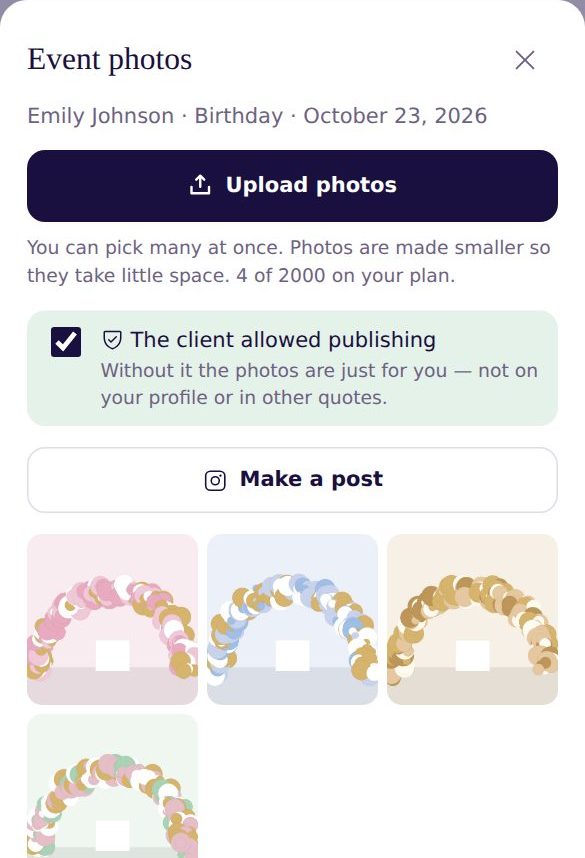
1. Add the photos after the event
There are a few ways to get to an event's photos:
- My Photos in the menu → Upload photos. At the top, Waiting for photos lists recent events without photos.
- On the event in Calendar → Photos (from the event day on).
- In My Quotes → ⋯ → Event photos.
2. The client's permission
Only post photos your client agreed to. That's why your quote has a photo line: “Photos: the decorator may publish photos of the decoration… Guests and children are not shown without your consent.” The client accepts it with the quote. Turn the line on or off for each quote, and choose in Settings whether it's on by default.
If the quote was accepted with this line, the photos are marked for you. Otherwise tick The client allowed publishing. Photos without permission show a lock — they're just for you and don't go into posts or your portfolio.
3. Find a photo
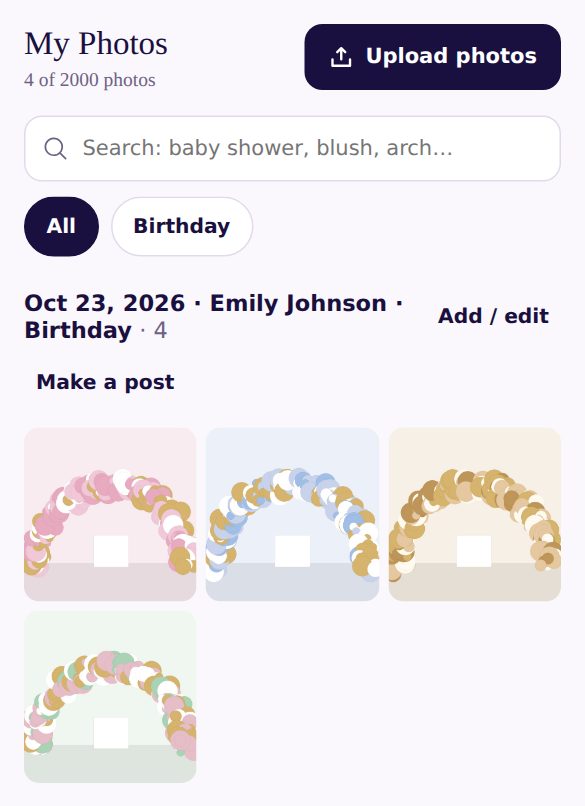
In My Photos, search by a word from the quote (baby shower, blush, arch…) or filter by event type and month. Open a photo and tap To portfolio to add it to your public profile. In Quick Quote, From my photos puts one of your photos in a new quote.
4. Make a post
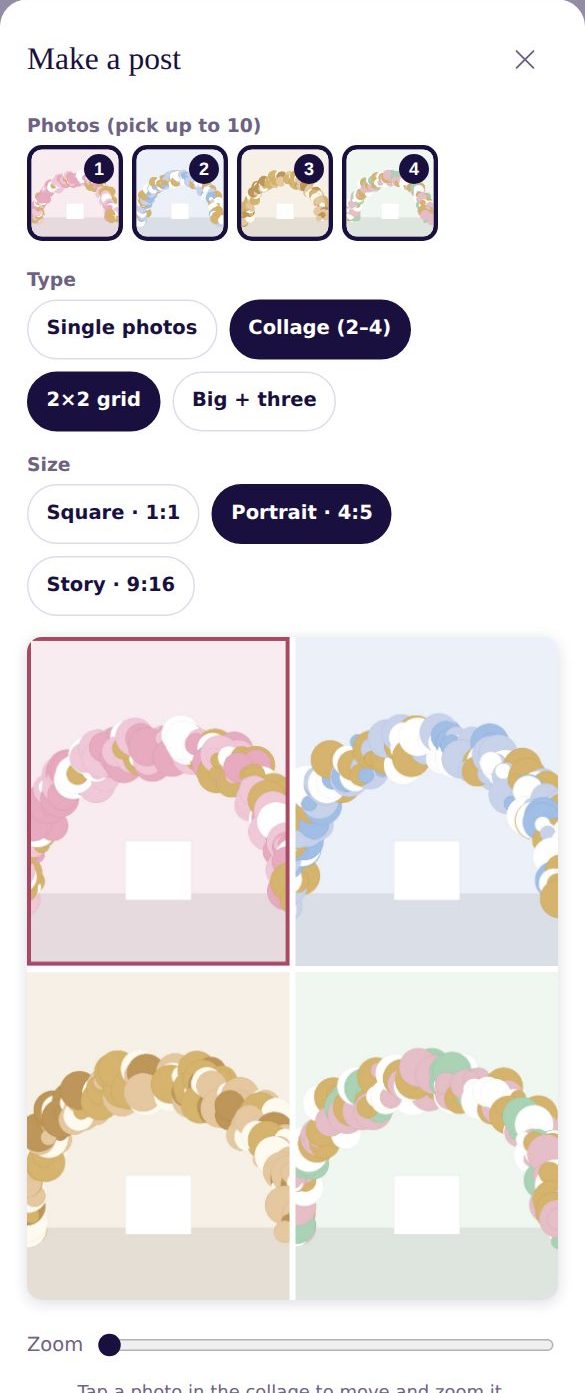
Tap Make a post on the event.
- Pick photos (up to 10).
- Type: Single photos — each photo is its own picture, for an Instagram carousel. Or Collage (2–4) — several photos in one frame, with two layouts to choose from.
- Size: Square 1:1, Portrait 4:5 (best for Instagram) or Story 9:16.
- Drag the photo with your finger to choose the frame. Zoom brings it closer. In a collage, tap the photo you want to move first.
5. Logo, caption and sharing
- My logo — the logo from Settings in the corner. Text band at the bottom — e.g. “Birthday · Austin”.
- Caption — a ready caption from the quote (occasion, theme, city, hashtags), without client or guest names. Change it any way you like.
- Premium: AI caption from the photo — the AI looks at the photo and writes a caption in the tone you pick (warm, short or playful). Up to 100 a month.
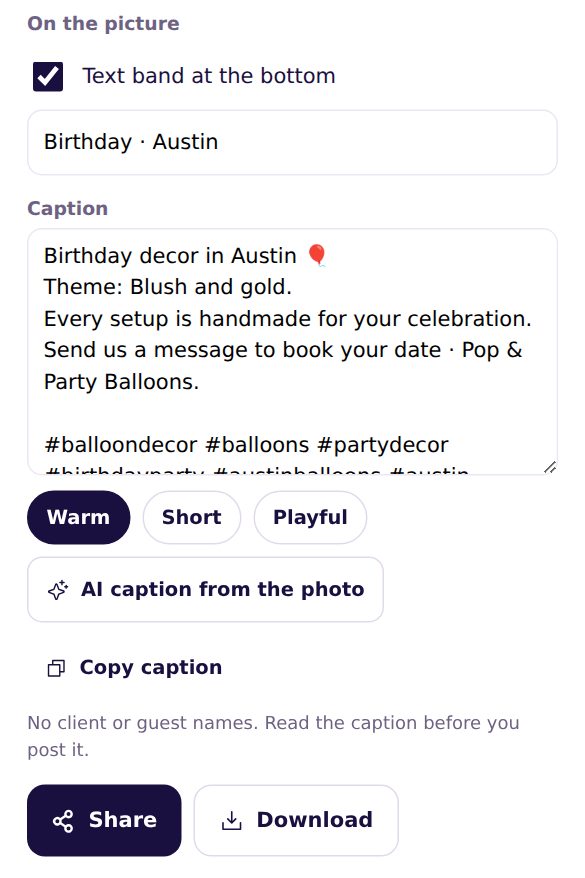
On your phone, Share opens Instagram, Facebook or Messages with the pictures, and the caption is copied — paste it into your post. On a computer, Download saves the pictures.
On the Free plan, a small “Eleira” mark sits in the corner of the picture.
Can't find an answer? Email us at [email protected] — Nadezhda replies personally. · All guides