Settings: Labor Rates, Travel, Deposit and Sales Tax
Eleira Studio guide · about 3 min
Settings is where you fill in, once, what Studio uses on every quote. Much of it was set when you signed up — here you check it and change it any time. Don't forget Save changes at the top.
Business information
Your name, business name, tagline, phone, city, state and service area. Your business name and phone appear on your quotes, and your state decides where your public profile is listed.
Labor rates
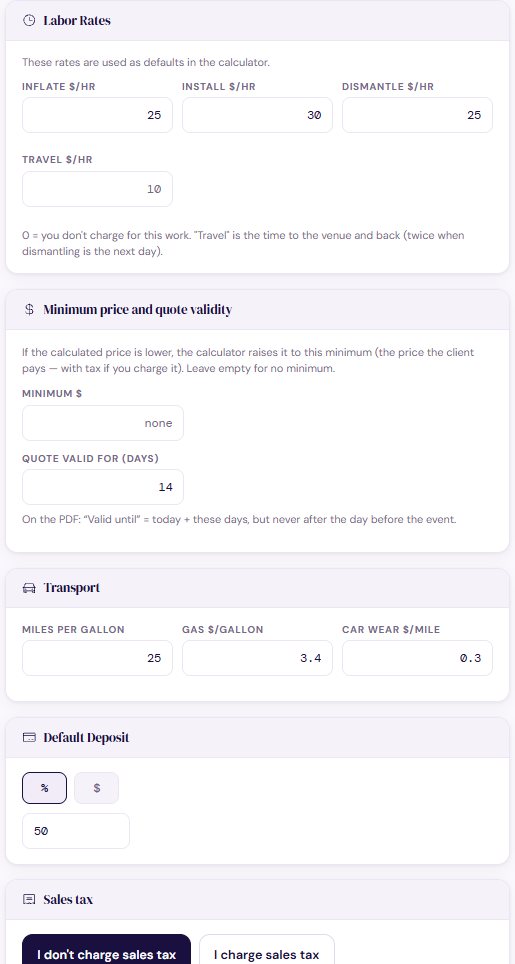
What an hour of your work costs: inflate, install, dismantle and travel. The Calculator (Standard) uses them to price labor. 0 means you don't charge for that work.
Minimum price and quote validity
Minimum — if the calculated price is lower, the Calculator raises it to this. Quote valid for — how many days a quote holds; the date prints on the PDF.
Transport
Miles per gallon, the price of gas per gallon and car wear per mile — so the drive to the venue is priced in.
Deposit and sales tax
Default deposit — the percentage or amount every new quote starts with (you can change it on each quote). Sales tax — choose “I don't charge sales tax” or “I charge sales tax” and your rate. Rules differ by state, so check with your state or your accountant if you're not sure.
More
Settings also holds your logo and quote look (see Logo and quote look), password, subscription and Contact Us.
Can't find an answer? Email us at [email protected] — Nadezhda replies personally. · All guides