Job Forms: Venue Questionnaire, Prop Rental Agreement and On-Site Handover
Eleira Studio guide · about 5 min
Three forms for every job (Premium). Open them from the quote: My Quotes → ⋯ next to the quote → Forms. The client's name, the date and the quote number fill in by themselves.
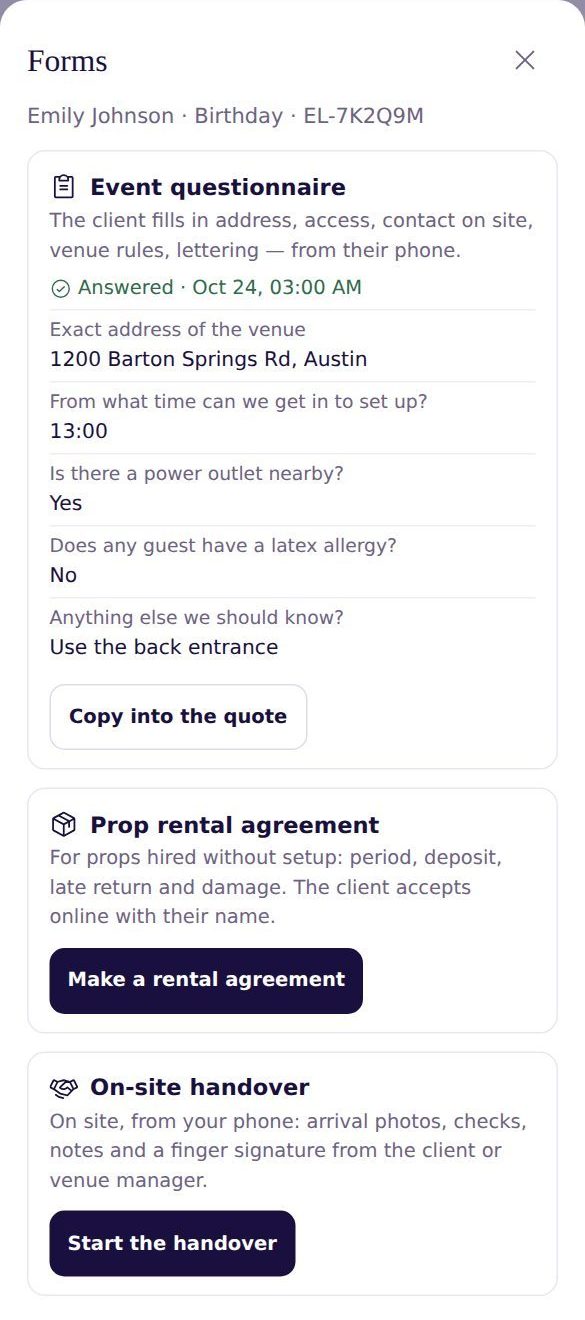
1. Event questionnaire
One link instead of ten text messages. The client fills it in on their phone: exact address, on-site contact, when you can get in, when the decor must be out, floor and elevator, where to park, indoors or outdoors, power, whether you can attach to walls, venue rules, latex allergies and the exact spelling for lettering.
- Tap Create a link for the client.
- Use Copy or Share to send it to the client.
- When the client sends their answers, you'll see Answered and the answers (plus a notification if they're on).
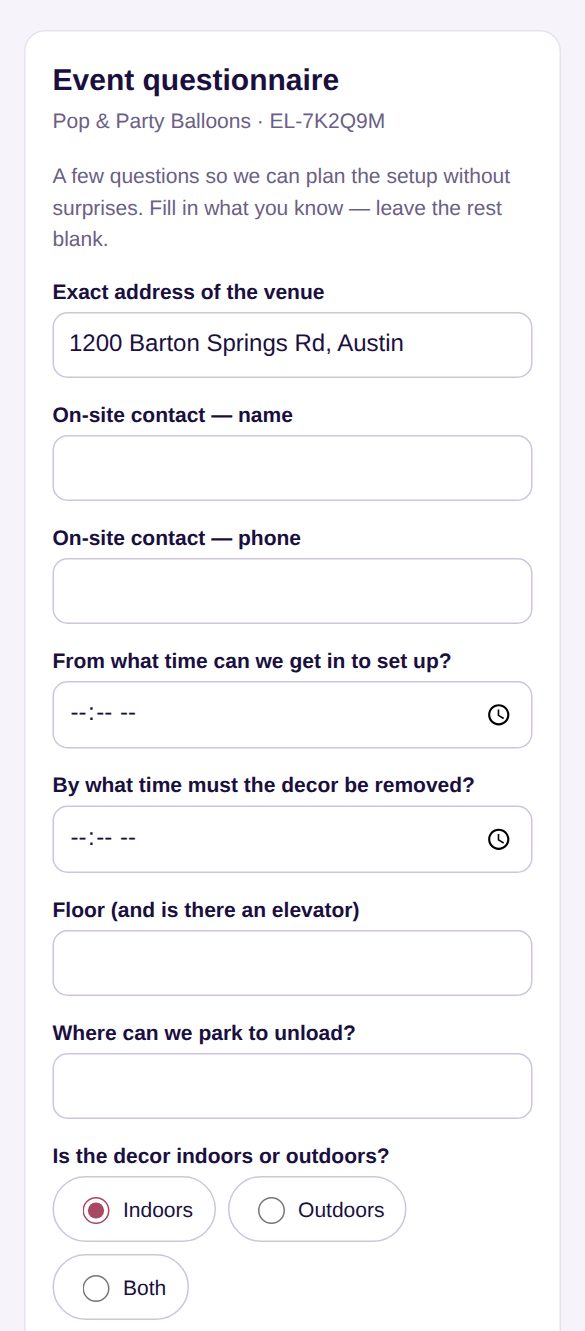
Tap Copy into the quote: the address and contact go into the quote (where they're empty), and the rest into your internal notes. The client can change their answers later from the same link.
2. Prop rental agreement
For props the client takes without your setup — arches, stands, backdrops.
- Tap Make a rental agreement. Props reserved from your inventory for this quote are already listed — add or remove rows.
- Fill in from–to, the rental price, the security deposit, the late fee per day, and whether the client picks up and returns or you deliver.
- Read it with See the agreement. Tap Create a link to sign and send it to the client.
The client ticks “I have read and accept the rental agreement”, types their name and taps I accept. You'll see Signed by … · date, and Open the copy gives you the text with the name, date and time. A signed agreement can't be changed.
3. On-site handover
Filled in at the venue, on your phone, once the decor is ready:
- Photos on arrival and after setup (up to 12) — include any damage that was already there.
- Checks: the decor is as quoted, everything is secured and weighted, no hazards, the area is cleaned up, the client knows how to care for the decor.
- Venue condition and notes.
- Received by — the client's or venue manager's name — and a signature with a finger in the box.
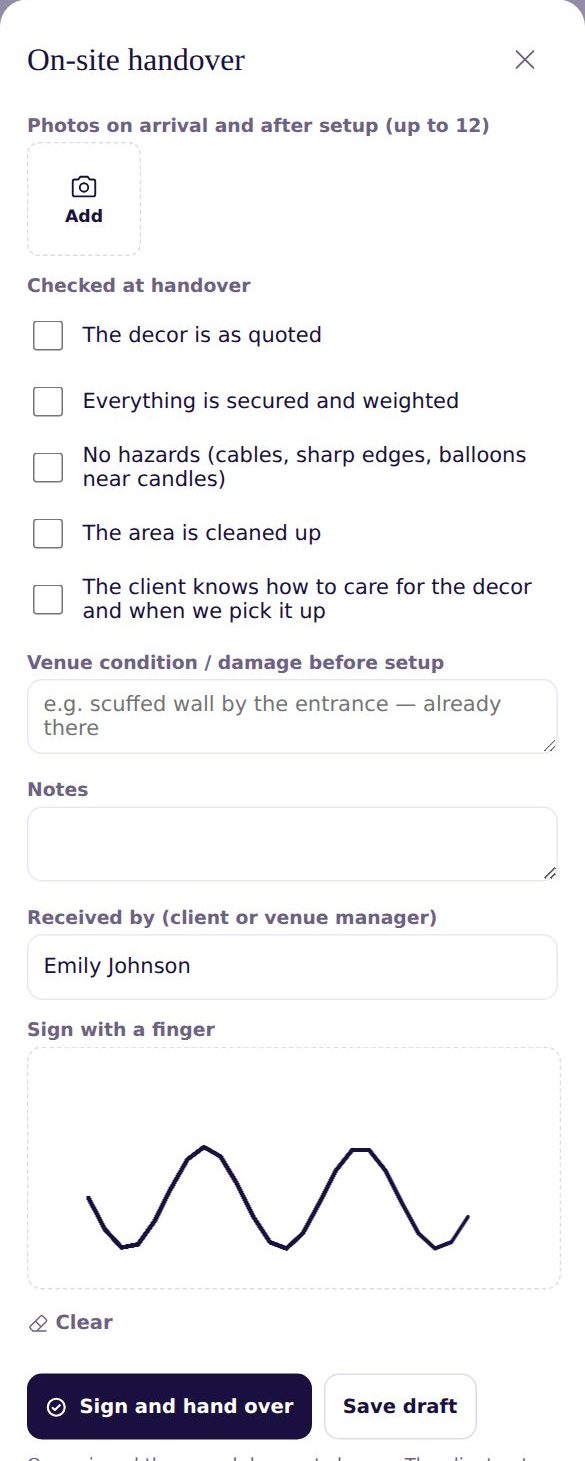
Save draft lets you finish later. Sign and hand over locks the record. In Forms you get a link to the copy you can send to the client.
My Photos and “Make a Post” for Instagram and Facebook
Keep the photos of every event in one place, mark the ones you may publish and make a post — a collage or single photos, with your logo and a ready caption.
Can't find an answer? Email us at [email protected] — Nadezhda replies personally. · All guides