Plans: What’s Included, How to Upgrade and How to Cancel
Eleira Studio guide · about 3 min
Eleira Studio has a Free plan with no time limit and no card, and two paid plans: Standard and Premium. Here's what each includes, how to upgrade and how to cancel. You can cancel any time, with no contract.
1. What the plans include
- Free: clients and calendar; Quick Quote (5 new a month, with “Made with Eleira Studio”) that you send as a PDF; a public profile on eleira.net; 10 Snap & Quote analyses; community.
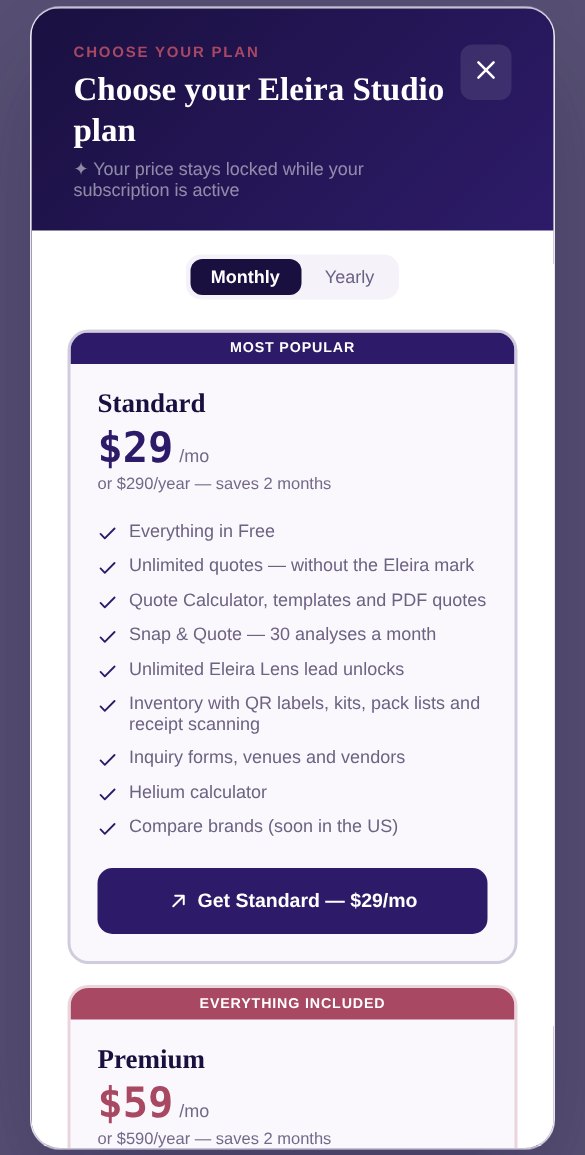
- Standard — $29 a month or $290 a year: unlimited quotes without the Eleira mark; online quotes your client accepts with one tap; online contract; the Quote Calculator; inventory; 30 analyses a month and more.
- Premium — $59 a month or $590 a year: everything in Standard, plus 100 analyses a month, receipts, finances, the palette generator, job forms, sending quotes by email and AI captions for posts.
Paying yearly saves you 2 months. Your price stays the same while your subscription is active.
2. How to upgrade
- Click Upgrade next to your plan name at the top of the menu (on a computer). Or tap any tool with a lock icon: that opens the plans too.
- Pick Monthly or Yearly.
- Tap the plan's button, for example Get Standard — $29/mo.
- Stripe's secure checkout opens. Pay by card (or Apple Pay / Google Pay if your phone has them). Fill in your business address so it's on your invoice.
After paying, you're back in Studio and the new tools are unlocked right away.
3. Changing your plan
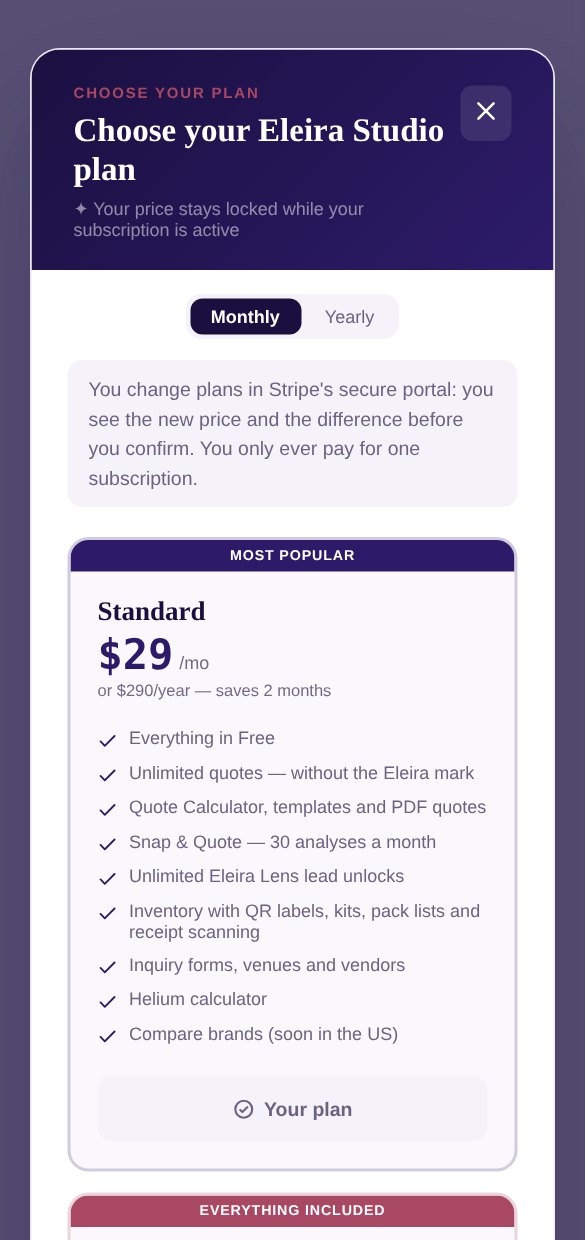
On Standard and want Premium, or the other way around? Open the plans again. Your plan says Your plan, and the other one says Switch to …. Tap it: Stripe's portal opens, where you see the new price and confirm. Your subscription is changed, not doubled. You always pay for just one.
4. How to cancel
- Open Settings and scroll to Subscription.
- Tap Cancel plan. If you like, tell us why: it really helps. Then tap Send and continue or Skip and continue.
- Stripe's portal opens. Cancel your subscription there. All your invoices are there too.
Stripe shows you the date your plan is paid through. After that, Studio moves to the Free plan:
- Nothing is deleted: your clients, quotes, photos and profile stay.
- Paid-plan tools are locked until you turn the plan back on.
- Quote links you've sent still open, but clients can no longer answer online.
A question about a payment or invoice? Message us from Contact Us. See The bell and how to reach us.
Can't find an answer? Email us at [email protected] — Nadezhda replies personally. · All guides